
Blog
Parts of a Computer and Their Functions
Going over the parts of a computer and their functions will help you understand all the vital components that make up a computer.
It’s a great place to start if you want to begin learning about computers. Not only is it a good entry point, but it’s also something good to know for curiosity’s sake.
Knowing what the part is, is good, but we are going to explain each part’s function which will give you a firmer understanding of them.

Parts of a computer with their functions
Here is a complete list of all the common computer hardware components and common peripherals that get used with them.
1. The computer case
This is the part that holds all of the internal components to make up the computer itself.
It is usually designed in such a manner to make fitting a motherboard, wiring, and drives as easy as possible. Some are designed so well that it is easy to make everything look tidy and presentable too
Design elements can vary from being plain to extremely elaborate. You can get a plain grey case or one that has colored lighting everywhere to make it looks spectacular.
Cases, like most things, vary in quality. You can get them made from cheap metals or from good quality materials that provide you with a sturdy design.
List of computer case sizes (known as form factor):
- Very small form factor: Supports Mini ITX motherboards
- Small form factor: Supports micro ATX motherboards.
- Standard form factor: Supports standard ATX motherboards.
- Larger form factors: Supports ATX and XL-ATX motherboards.
2. Motherboard
The motherboard is the main board that is screwed directly inside the computer case.
All other cards and everything else plugs directly into the motherboard, hence its name.
The CPU, RAM, drives, power supply and more all get connected to it.
Its function is to integrate all the components with each other so they can communicate and operate together.
A good motherboard offers a wide amount of connectivity options. It also has the least amount of bottlenecks as possible. This allows all the components to operate efficiently and to fulfill their maximum potential as they were designed to do.
Obviously, as the physical size of a motherboard is reduced, it begins to limit connectivity options and functionality.
Motherboards come in the following sizes:
| Motherboard | Dimensions |
| Pico-ITX | 3.9 inch x 2.9 inch | 100mm x 72mm |
| Nano-ITX | 4.7 inch x 4.7 inch | 120mm x 120mm |
| Mini-ITX | 6.7 inch x 6.7 inch | 170mm x 170mm |
| Micro-ATX | 9.6 inch x 9.6 inch | 244mm x 244mm |
| Standard-ATX | 12 inch x 9.6 inch | 305mm x 244mm |
| XL-ATX | EVGA: 13.5 inch x 10.3 inch | 343mm x 262mm Gigabyte: 13.58 inch x 10.31 inch | 345mm x 262mm Micro-Star: 13.6 inch x 10.4 inch | 345mm x 264mm |
3. CPU: Central Processing Unit
The CPU is basically like the brain of a computer. It processes all the information on a computational level.
It takes information from the RAM and processes it to perform the tasks required from the computer.
It is usually seated in a socket that utilizes a lever or a latch with a hinged plate with a cut out in the center to secure it onto the motherboard.
It has many copper pads underneath it for the contacts of the socket to push up against them to make electrical contact.
There are other ways CPU’s can be attached to the motherboard.
Here are some common examples:
- ZIF (Zero Insertion Force): Although this a more desirable socket, they are mostly found on older computer motherboards. A lever-operated a mechanism to clamp the pins of the processor.
- PGA (Pin Grid Array): It is also a ZIF socket but has a different pin pitch and contains a different pin count.
- LGA (Land Grid Array): More commonly found on motherboards today. A levered hinged plate with a center cut out clamps down on the processor.
- BGA (Ball Grid Array): The CPU is soldered directly onto the motherboard. This makes it a non-user swappable part. It is susceptible to bad connectivity.
A processor generates a decent amount of heat, especially when it is working under high loads.
It will run even hotter when it is set to a higher clock speed in order to make it run faster. This is called overclocking.
This is why a heatsink and fan assembly is required in order to draw the heat away from the processor and distribute it to thin sheets or fins of metal for the fan to cool down.
There are so many different types of processors. The top manufacturers for computers are Intel, AMD, and NVidia.
4. RAM: Random Access Memory
RAM is a data storage device that can provide fast read and write access. RAM is also volatile which means that it loses all the stored data the moment power is lost.
The RAM keeps data ready for the CPU to process. The speed of the RAM is a big contributor to the overall speed of a computer.
It plugs directly into a long slot which has contacts on either side of the slot.
It too has a clock speed, just like a processor. So, it can also be overclocked to deliver increased performance beyond the intended specification.
Certain RAM modules are sold with a heat spreader. It helps dissipate the heat from the individual memory IC’s, keeping them cooler.
RAM has evolved like any other component. RAM used on the motherboard often makes use of DDR (Double Data Rate) SDRAM (Synchronous Dynamic Random Access Memory) type memory.
You can get below Rams From Our Shop
| Part No / Model No | RAM’S |
|---|---|
| Laptop RAM DDR5 | |
| LD5S16G56C46ST-BGS | Lexar Laptop RAM DDR5 16GB 5600 |
| B7SA0AA | HP Laptop RAM DDR5 32GB 5600 |
| BL.9BWWA.419 | Acer SD200 Laptop RAM DDR5 32GB 5600 |
| Desktop RAM DDR5 | |
| LD5U08G56C46ST-BGS | Lexar Desktop RAM DDR5 8GB 5600 |
| LD5U16G56C46ST-BGS | Lexar Desktop RAM DDR5 16GB 5600 |
| KVR56U46BS8-16 | Kingston Desktop RAM DDR5 16GB 5600 |
| LD5U32G56C46ST-BGS | Lexar Desktop RAM DDR5 32GB 5600 |
| LD5U16G60C38LG-RGD | Lexar THOR OC Desktop RAM DDR5 32GB 6000 Kit (2x16GB) |
| Laptop RAM DDR4 | |
| CB4GS2666 | Crucial Laptop RAM DDR4 4GB 2666 |
| LD4AS016G-B3200GSST | Lexar Laptop RAM DDR4 16GB 3200 |
| LD4AS032G-B3200GSST | Lexar Laptop RAM DDR4 32GB 3200 |
| JM3200HSE-32G | Transcend Laptop RAM DDR4 32GB 3200 |
| Desktop RAM DDR4 | |
| LD4AU032G-B3200GSST | Lexar Desktop RAM DDR4 32GB 3200 |
| Laptop RAM DDR3 | |
| SAM LAP DDR3 4GB 1600 | Samsung Laptop RAM DDR3 4GB 1600 |
| SAM L DDR3L 8GB 1600 | Samsung Laptop RAM DDR3L 8GB 1600 |
| Desktop RAM DDR3 | |
| HYN D RAM 4GB DDR3L 1600 | HYNIX Desktop RAM DDR3L 4GB 1600 |
| RAM D DDR3L 4GB 1600 | RAMAXEL Desktop RAM DDR3L 4GB 1600 |
| HP698650-154-MCN | KINGSTON Desktop RAM DDR3L 4GB 1600 |
| SAM D DDR3L 4GB 1600 | SAMSUNG Desktop RAM DDR3L 4GB 1600 |
| HYN D RAM 8GB DDR3L 1600 | HYNIX Desktop RAM DDR3L 8GB 1600 |
5. Graphics Card
A graphics card processes the data from the motherboard and sends the appropriate information to the monitor in order for it to be displayed.
It can do so using an HDMI, DisplayPort, DVI, or VGA connector.
A graphics card can also be referred to as a video card or a display card.
It takes the burden of all the video processing from the main CPU. This gives a computer a big boost in performance.
Because of the large processing requirements for a gaming graphics card, fans are almost a given.
A graphics card plugs into a PCI Express (Peripheral Component Interconnect Express) slot on the motherboard. It is a serial expansion bus slot that is capable of a high amount of bandwidth, in two directions.
A graphics card has a GPU (Graphics Processing Unit) which is the main component that requires cooling.
A GPU is slower than a CPU, but it is designed to deal with mathematical operations required for video rendering.
The amount of memory on the card varies depending on the manufacturer’s design.
Graphics cards use GDDR (Graphics Double Data Rate) SDRAM which is specially designed to be optimized for graphics performance.
GDDR is built to handle a higher bandwidth compared to plain DDR ram.
Below are Some of Graphics Cards available at Our SHop
| Part No / Model No | Graphics Cards |
|---|---|
| Graphics Cards | |
| VCNRTXA400-SB | PNY RTX A400 4GB GDDR6 Graphics Card, Display Outputs: 4 x Mini DisplayPort 1.4a, Recommended Power Supply: 250W |
| ZT-B50700E-10P | ZOTAC GAMING GeForce RTX 5070 Twin Edge 12GB GDDR7 Graphics Card, Display Outputs: 3 x DisplayPort 2.1b, 1 x HDMI 2.1b, Recommended Power Supply: 650W, Power Input: 12v-2×6 – ZT-B50700E-10P |
| VCG507012TFXXPB1-O | PNY GeForce RTX 5070 ARGB EPIC-X RGB OC Triple Fan 12GB GDDR7 Graphics Card, Display Outputs: 3 x DisplayPort 2.1b, 1 x HDMI 2.1b, Recommended Power Supply: 650W, Power Input: 16-Pin – VCG507012TFXXPB1-O |
| VCG5071T16TFXPB1-O | PNY GeForce RTX 5070 Ti OC Triple Fan 16GB GDDR7 Graphics Card, Display Outputs: 3 x DisplayPort 2.1b, 1 x HDMI 2.1b, Recommended Power Supply: 750W, Power Input: 16-Pin – VCG5071T16TFXPB1-O |
| ZT-B50800Q-10P | ZOTAC GAMING GeForce RTX 5080 SOLID OC White Edition 16GB GDDR7 Graphics Card, Display Outputs: 3 x DisplayPort 2.1b, 1 x HDMI 2.1b, Recommended Power Supply: 850W, Power Input: 12v-2×6 – ZT-B50800Q-10P |
| ZT-B50800BU-10P | ZOTAC GAMING GeForce RTX 5080 AMP Extreme INFINITY ULTRA 16GB GDDR7 Graphics Card, Display Outputs: 3 x DisplayPort 2.1b, 1 x HDMI 2.1, Recommended Power Supply: 850W, Power Input: 12v-2×6 – ZT-B50800BU-10P |
| VCG508016TFXXPB1-O | PNY GeForce RTX 5080 ARGB EPIC-X RGB OC Triple Fan 16GB GDDR7 Graphics Card, Display Outputs: 3 x DisplayPort 2.1b, 1 x HDMI 2.1b, Recommended Power Supply: 850W, Power Input: 16-Pin – VCG508016TFXXPB1-O |
6. Sound Card
Most of the time the sound chip built into the motherboard is used for audio output.
But, if you are a sound enthusiast or prefer higher detailed audio while playing a game, you might be inclined to use a sound card.
Sound cards plug into a computer in multiple ways. It can be through USB, PCI slot, or PCI Express x 1 slot.
A sound processing chip on the card does all of the audio processing and is usually not a very powerful processor.
A sound card can offer a wide range of connectivity with various audio equipment.
A few examples could be optical audio, 1/4 inch jack, or RCA connectors.
7. Hard Drive
A hard drive is found in most computers. It’s usually a mechanical drive that stores all the data.
Apart from storing data, it can also be used as a boot drive in order to run the operating system from it.
An operating system is a software program that makes a computer useable. Like Microsoft Windows for example.
The biggest vulnerability of a mechanical drive is the physically fragile nature of it.
One bump the wrong way can destroy a whole drive.
A mechanical hard drive contains one or more platters that spin anywhere between 5200 to 10000 RPM (revolutions per minute). The read and write heads are spaced only about 0.002 (51 micro M) of an inch away from the platter.
This gives you an idea about the physical limitations regarding its fragile nature.
Small areas on the platter can be arranged to represent a 1 or a 0. It can be changed using the drive head to magnetically alter the material to represent the correct value.
8. SSD: Solid State Drive
An SSD is also a type of hard drive, but it doesn’t have any moving parts. It consists of a bank of flash memory that can hold a reasonable amount of data.
While SSD’s are increasing in size all the time, they aren’t cost-effective for storing large amounts of data.
A mechanical drive has a cheaper gigabyte to dollar ratio.
However, the SSD is a high-performance drive. It’s fast and cannot be as easily damaged by dropping it or taking a few knocks.
That’s why I always recommend SSD’s for portable type computers where possible. You can read more about whether or not SSD’s are worth it in our other article.
You can get below SSDS from Almiria Techstore kenya
| Part No / Model No | Solid State Drives |
|---|---|
| Internal SSD Drives 2.5″ SATA – PC | |
| LNS100-256RB | LEXAR NS100 2.5” SATA INTERNAL SSD 256GB – LNS100-256RB |
| LNS100-512RB | LEXAR NS100 2.5” SATA INTERNAL SSD 512GB – LNS100-512RB |
| VER-49353 | VERBATIM Vi550 S3 2.5” SATA INTERNAL SSD 1TB – VER-49353 |
| LNS100-1TRB | LEXAR NS100 2.5” SATA INTERNAL SSD 1TB – LNS100-1TRB |
| LNQ100X001T-RNNNG | LEXAR NQ100 2.5” SATA INTERNAL SSD 1TB – LNQ100X001T-RNNNG |
| TS2TSSD220Q | TRANSCEND SSD220Q 2.5” SATA INTERNAL SSD 2TB – TS2TSSD220Q |
| Internal SSD Drives M.2 PCIe NVMe – PC | |
| LNM620X256G-RNNNG | LEXAR LNM620 INTERNAL SSD M.2 PCIe Gen 3*4 NVMe 2280 – 256GB – LNM620X256G-RNNNG |
| LNM620X512G-RNNNG | LEXAR LNM620 INTERNAL SSD M.2 PCIe Gen 3*4 NVMe 2280 – 512GB – LNM620X512G-RNNNG |
| LNM620X001T-RNNNG | LEXAR LNM620 INTERNAL SSD M.2 PCIe Gen 3*4 NVMe 2280 – 1TB – LNM620X001T-RNNNG |
| LNQ780X001T-RNNNG | LEXAR LNQ780 INTERNAL SSD M.2 PCIe Gen 4*4 NVMe 2280 – 1TB – LNQ780X001T-RNNNG |
| LNM790X001T-RNNNG | LEXAR LNM790 INTERNAL SSD M.2 PCIe Gen 4*4 NVMe 2280 – 1TB – LNM790X001T-RNNNG |
| External SSD’s | |
| SDSSDE30-1T00-G26 | SANDISK E30 PORTABLE EXTERNAL SSD 1TB – Black – SDSSDE30-1T00-G26 |
| SDSSDE30-2T00-G26 | SANDISK E30 PORTABLE EXTERNAL SSD 2TB – Black – SDSSDE30-2T00-G26 |
| SDSSDE61-1T00-G25-I | SANDISK E61 EXTREME PORTABLE EXTERNAL SSD V2 1TB – Black – SDSSDE61-1T00-G25 |
| SDSSDE61-2T00-G25-I | SANDISK E61 EXTREME PORTABLE EXTERNAL SSD V2 2TB – Black – SDSSDE61-2T00-G25 |
| GXB1M24162 | LENOVO PS8 EXTERNAL SSD 4TB – Storm grey – GXB1M24162 |
| SDSSDE81-1T00-G25 | SANDISK E81 EXTREME PRO PORTABLE EXTERNAL SSD V2 1TB – Black – SDSSDE81-1T00-G25 |
| SDSSDE81-2T00-G25 | SANDISK E81 EXTREME PRO PORTABLE EXTERNAL SSD V2 2TB – Black – SDSSDE81-2T00-G25 |
| SDSSDE81-4T00-G25 | SANDISK E81 EXTREME PRO PORTABLE EXTERNAL SSD V2 4TB – Black – SDSSDE81-4T00-G25 |
9. PSU: Power Supply Unit
A power supply mounts inside the computer case. This converts the AC mains supply from the wall socket and supplies the correct DC voltages to all the components inside the computer.
A computer power supply supplies the following voltages:
- +3.3v: This voltage is supplied to the motherboard.
- +5V: This voltage is supplied to the motherboard and other internal components.
- +12V: This voltage is supplied to the motherboard and other internal components.
- -12V: This voltage is supplied to the motherboard.
You get different wattage ratings for power supplies. The higher the wattage, the higher the amount of electrical current can be made available to parts that need it.
The higher you go in Watts, the more the power supply will be likely to cost.
A power supply also comes with its own cooling fan. This helps all the internal components to stay cool when the power supply is subjected to bigger loads.
If you would like to know more about a power supply and its lifespan, I have written an article discussing it more in-depth.
10. Monitor
A monitor is what you use to see a visual representation of the graphics data sent from the graphics card of the computer.
There are various types of monitors on the market. The most commonly used is a LED-backlit LCD monitor.
There are also a variety of different sizes with different aspect ratios. The aspect ratio is simply the ratio between height and width.
For example, a 16:9 aspect ratio monitor will have 16 parts wide to 9 parts in height.
There are also curved monitors, but they are more expensive.
Monitors also have a fast response time in order to keep up with the high demands required to eliminate delays with user input for gaming.
You can get below Monitors from Almiria techstore Kenya
| Part No / Model No | Monitors |
|---|---|
| Portable Monitors | |
| 66E4UAC1WL | Lenovo L15 15.6″ FHD USB-C Portable Monitor, Grey Color, Connectivity: 2 USB-C 3.2 Gen 1 – 66E4UAC1WL |
| 18.5″ Monitors | |
| E970SWN | AOC E970SWN 18.5″ HD Monitor, Black Color, Connectivity: 1 VGA, 1 HDMI 1.4 – E970SWN |
| 61E0KCT6EU | Lenovo D19-10 18.5″ HD Monitor, Black Color, Connectivity: VGA, HDMI 1.4 – 61E0KCT6EU |
| 21.5″ Monitors | |
| SE2225H | Dell SE2225H 21.4″ FHD Monitor, Black Color, Connectivity: 1 VGA, 1 HDMI 1.4 – SE2225H |
| 23.8″ Monitors | |
| 65P62AS | HP V24v G5 23.8″ FHD Monitor, Black Color, Connectivity: 1 VGA, 1 HDMI 1.4 – 65P62AS |
| SE2425H | Dell SE2425H 23.8″ FHD Monitor, Black Color, Connectivity: 1 VGA, 1 HDMI 1.4 – SE2425H |
| E2425H | Dell E2425H 23.8″ FHD Monitor, Black Color, Connectivity: 1 VGA, 1 DisplayPort 1.2 – E2425H |
| 63DEKAT3UK | Lenovo ThinkVision S24i-30 23.8″ FHD Monitor, Raven Black, Connectivity: 1 VGA, 1 HDMI 1.4 |
| 67BCKAC6AE | Lenovo L24i-4A 23.8″ FHD Monitor, Integrated Speakers, Cloud Grey, Connectivity: 1 VGA, 1 HDMI 1.4 |
| 94C17AA | HP 524sf Series 5 23.8″ FHD Monitor, Black Color, Connectivity: 1 VGA, 1 HDMI 1.4 |
| 94C21AS | HP Series 5 524sw 23.8″ FHD Monitor, White Color, Connectivity: 1 VGA, 1 HDMI 1.4 |
| 94C19AA | HP Series 5 524sh 23.8″ FHD Monitor, Height/Tilt Adjustable, Black, Connectivity: 1 VGA, 1 HDMI 1.4 |
| 94C36AS | HP 524sa Series 5 23.8″ FHD Monitor, Integrated Speakers, White, Connectivity: 1 VGA, 1 HDMI 1.4, 1 Audio Out, 1 Audio In |
| E2425HS | Dell E2425HS 23.8″ FHD Monitor, Integrated Speakers, Adjustable Stand, Connectivity: 1 VGA, 1 HDMI 1.4, 1 DP 1.2 |
| SE2425HM | Dell SE2425HM 23.8″ FHD Monitor, Black Color, Connectivity: 1 VGA, 1 HDMI 1.4 |
| P2425H | Dell P2425H 23.8″ FHD Monitor, Adjustable Stand, Connectivity: 1 VGA, 1 HDMI 1.4, 1 DP 1.2, USB Hub |
| 63F4MAT1UK | Lenovo ThinkVision P25i-30 24.5″ FHD Monitor, Adjustable Stand, Connectivity: VGA, HDMI 2.1, DP 1.4, DP Out, USB Hub |
| 9FM22AS | HP X24c 23.6″ FHD Curved Gaming Monitor, 144Hz, 1500R, Connectivity: 1 HDMI 2.0, 1 DP 1.2, 1 Audio Out |
| 63B3GAT6UK | Lenovo ThinkVision P24h-30 23.8″ QHD Monitor, RJ45 + USB Hub, Connectivity: USB-C, HDMI 2.1, DP 1.4, DP Out |
| P2425HE | Dell P2425HE 23.8″ FHD Monitor, USB-C Hub, RJ45, USB Hub, Connectivity: HDMI 1.4, DP 1.4, DP Out, USB-C |
| 27″ Monitors | |
| 65P64AS | HP V27i G5 27″ FHD Monitor, Connectivity: 1 VGA, 1 HDMI 1.4, 1 DP 1.2 |
| 63DFKAT4UK | Lenovo ThinkVision S27i-30 27″ FHD Monitor, Connectivity: 1 VGA, 2 HDMI 1.4 |
| E2725H | Dell E2725H 27″ FHD Monitor, Connectivity: 1 VGA, 1 DP 1.2 |
| SE2725HM | Dell SE2725HM 27″ FHD Monitor, Connectivity: 1 VGA, 1 HDMI 1.4 |
| 67BEKAC1AE | Lenovo L27i-4A 27″ FHD Monitor, Integrated Speakers, Connectivity: 1 VGA, 2 HDMI 1.4 |
| 94F44AA | HP 527sf Series 5 27″ FHD Monitor, Connectivity: 1 VGA, 2 HDMI 1.4 |
| 94F48AS | HP 527sa Series 5 27″ FHD Monitor, White, Integrated Speakers, Connectivity: 1 VGA, 2 HDMI 1.4, Audio In/Out |
| 94C50AA | HP 527sh Series 5 27″ FHD Monitor, Adjustable Stand, Connectivity: 1 VGA, 2 HDMI 1.4 |
| S2725H | Dell S2725H 27″ FHD Monitor, Integrated Speakers, Connectivity: 2 HDMI 1.4 |
| P2725H | Dell P2725H 27″ FHD Monitor, USB Hub, Adjustable Stand, Connectivity: VGA, HDMI 1.4, DP 1.2, USB Hub |
| 67C0UAC6AE | Lenovo L27h-4A 27″ QHD Monitor, USB-C + USB Hub, Connectivity: HDMI 2.1, DP 1.4 |
| 67BFGAC6AE | Lenovo L27q-4A 27″ QHD Monitor, Connectivity: HDMI 2.1, DP 1.4 |
| 67C6GAC2AE | Lenovo Legion R27qc-30 27″ QHD Curved Gaming Monitor, 180Hz, Connectivity: HDMI 2.1, DP 1.4 |
| P2725HE | Dell P2725HE 27″ FHD USB-C Hub Monitor, RJ45, USB Hub, Connectivity: HDMI 1.4, DP 1.4, DP Out, USB-C |
| 40Z29AS | HP E27m G4 27″ QHD Conferencing Monitor, Webcam + Speakers, USB-C Hub, Connectivity: USB-C, HDMI 1.4, DP 1.2, DP Out, RJ45, USB Hub, Audio In/Out |
| 32″ Monitors | |
| 67C8GAC1AE | Lenovo Legion R32qc-30 31.5″ QHD Curved Gaming Monitor, 180Hz, Connectivity: HDMI 2.1, DP 1.4 |
| 66C9UAC1AE | Lenovo L32p-30 31.5″ 4K UHD Monitor, Connectivity: HDMI 2.0, DP 1.2, USB-C, USB Hub |
| 66DFUAC1AE | Lenovo L32p-30 31.5″ 4K UHD Monitor + LC50 Webcam, Connectivity: HDMI 2.0, DP 1.2, USB-C, USB Hub |
| 6N4D6AS | HP E32k G5 31.5″ 4K USB-C Monitor, RJ45, USB-C Hub, Connectivity: USB-C, HDMI 2.0, DP 1.4, USB-A Hub |
| 34″ Monitors | |
| 21Y56AS | HP P34hc G4 WQHD USB-C Curved Monitor, Connectivity: USB-C (65W PD), HDMI 2.0, DP 1.2 |
| 67C7GACBUK | Lenovo Legion R34w-30 34″ WQHD Curved Gaming Monitor, 180Hz, Connectivity: 2 HDMI 2.1, DP 1.4 |
| 67C7GACBAE | Lenovo Legion R34w-30 34″ WQHD Curved Gaming Monitor, 180Hz, Connectivity: 2 HDMI 2.1, DP 1.4 |
11. Keyboard
A keyboard is one of the ways to communicate with a computer. By typing a key from the keyboard, it sends a small portion of data to tell the computer which key was pressed.
The computer can use this information in many ways. An example could be a command or a character that can be used in a document.
There are two main different types of keyboards. Mechanical and membrane types.
| Part No / Model No | Keyboards |
|---|---|
| 3CY44PA | HP USB Keyboard K200 Black |
| DELL-KB216 | Dell USB Multimedia Keyboard |
| 920-007145 | Logitech K400 Plus Wireless Keyboard with Touchpad – Black |
| 920-010498 | Logitech MX Keys Mini Minimalist Bluetooth Illuminated Keyboard – Graphite |
| 920-010499 | Logitech MX Keys Mini Minimalist Wireless Illuminated Keyboard – Pale Gray |
| 920-010526 | Logitech MX Keys Mini for Mac Bluetooth Illuminated Keyboard – Pale Gray |
12. Mouse
A mouse allows the user to move a pointer displayed on the monitor and experience a more intuitive interaction with the computer.
These days mice have more buttons than the common three.
The three main buttons, however, allows the user to select, grab, scroll and access extra menus and options.
A computer mouse can be wired or wireless. The latter obviously requires batteries.
Optical mice of today allow for very accurate precision and smooth movement.
| Part No / Model No | Mouse |
|---|---|
| 1QW49AA | HP USB Gaming Mouse M100 Black |
| 7ZZ79AA | HP USB Gaming Mouse M160 Black – RGB Light |
| 4QM14AA | HP USB Mouse 1000 Black |
| 3CY46PA | HP Wireless Silent Mouse S1000 Black |
| GX30M39704 | Lenovo 300 USB Wired Mouse |
| GX30K79401 | Lenovo 300 Wireless Mouse |
| GY50Z18986 | Lenovo 530 Wireless Mouse (Abyss Blue) with battery |
| GY50Z49089 | Lenovo 530 Wireless Mouse (Graphite) with battery |
| MS116 | Dell USB Mouse MS116 |
| WM126-WH | Dell Wireless Mouse WM126 White |
| WM126-BK | Dell Wireless Mouse WM126 Black |
| RJN-00022 | Microsoft Bluetooth Mouse – Blue |
| RJN-00034 | Microsoft Bluetooth Mouse – Mint |
| RJN-00046 | Microsoft Bluetooth Mouse – Peach |
| M374 W MOUSE | Philips Wireless Mouse M374 Black |
| 910-001793 | Logitech M90 USB Optical Mouse |
| 910-004642 | Logitech M170 Wireless Mouse – Grey |
| 910-004424 | Logitech M171 Wireless Mouse – Black |
| 910-004640 | Logitech M171 Wireless Mouse – Blue |
| 910-004641 | Logitech M171 Wireless Mouse – Red |
| 910-006865 | Logitech M171 Wireless Mouse – Rose |
| 910-006866 | Logitech M171 Wireless Mouse – Blue Grey |
| 910-002235 | Logitech M185 Wireless Mouse – Swift Grey |
| 910-002236 | Logitech M185 Wireless Mouse – Blue |
| 910-002237 | Logitech M185 Wireless Mouse – Red |
| 910-005906 | Logitech M190 Full-Size Wireless Mouse – Mid Grey |
| 910-007459 | Logitech M196 Bluetooth Mouse – Graphite |
| 910-007460 | Logitech M196 Bluetooth Mouse – Off-White |
| 910-007461 | Logitech M196 Bluetooth Mouse – Rose |
| 910-006510 | Logitech M221 Silent Wireless Mouse – Charcoal |
| 910-007119 | Logitech M240 Silent Bluetooth Mouse – Graphite |
| 910-004909 | Logitech M330 Silent Plus Wireless Mouse – Black |
| 910-006473 | Logitech Lift Vertical Ergonomic Wireless Mouse – Graphite |
| 910-006546 | Logitech POP Wireless Mouse with Emoji Button – Blast |
| 910-006253 | Logitech M650 Signature Wireless Mouse – Graphite |
| 910-004791 | Logitech M720 Triathlon Multi-Computer Wireless Mouse |
| 910-006929 | Logitech MX Anywhere 3S Bluetooth Rechargeable Mouse – Graphite |
| 910-006559 | Logitech MX Master 3S Wireless & Bluetooth Rechargeable Mouse – Graphite |
| 910-005823 | Logitech G102 LIGHTSYNC RGB Gaming Mouse – Black |
Common external peripherals
Here are some common peripherals that get connected to a computer and extends its usefulness.
Printer
A printer can take an image sent by a computer and deliver it onto a sheet of paper.
It does this by using the data from the computer and by either using toner or ink, it deposits one of these in a controlled and accurate manner to form the image.
Scanner
A scanner can take anything on a piece of paper and scan it to produce a replicated digital image.
This is also very handy for saving physical photos that you want to preserve.
Once the photo is stored digitally, it won’t decay as a physical photo does over time.
| Part No / Model No | Headsets |
|---|---|
| 1QW66AA | HP Gaming Headset H100 – 3.5mm Jack |
| 8AA11AA | HP Gaming Headset H220 – USB + 3.5mm Backlit Gaming Headset |
| T1A67AA | HP Stereo USB Headset Black |
| GXD0T69863 | Lenovo Legion H300 Stereo Gaming Headset |
| GXD1A03963 | Lenovo Legion H600 Wireless Gaming Headset |
| UG-25255 | UGREEN HiTune Max5 Hybrid ANC Headphones – Black |
| UG-35757 | UGREEN HiTune Max5c Hybrid ANC Headphones – Black |
| UG-35758 | UGREEN HiTune Max5c Hybrid ANC Headphones – White |
| 981-000475 | Logitech H340 USB-A Headset with Noise Cancelling Mic – Black |
| 981-000406 | Logitech H390 USB-A Headset with Noise Cancelling Mic – Black |
| 981-000480 | Logitech H540 USB-A Headset with Noise Cancelling Mic – Black |
| 981-000575 | Logitech H570e Stereo USB-A Headset – Black |
| 981-000519 | Logitech H650e Stereo USB-A Headset with Mic – Black |
| 981-001407 | Logitech Zone 300 Bluetooth Headset – Midnight Black |
| 981-001412 | Logitech Zone 300 Bluetooth Headset – Rose |
| 981-001213 | Logitech Zone Vibe 100 Over-ear Bluetooth Headphones – Graphite |
| 981-001224 | Logitech Zone Vibe 100 Over-ear Bluetooth Headphones – Rose |
| 981-001199 | Logitech Zone Vibe Wireless Over-ear Headphones – Graphite |
| 981-000870 | Logitech Zone Wired Headset (Teams Version) |
| 981-000875 | Logitech Zone Wired Headset (UC Version) |
Computer Speakers
Computer speakers can connect up to the sound card at the rear of the computer.
Another way they can be connected is by a monitor that already has built-in speakers.
Generally, the sound quality is poor from a monitor’ speakers. That’s why most people buy a set of computer speakers to have on their computer desk.
You can even connect up a 7.1 surround speaker system to certain sound cards.
This can add a nicer experience when it comes to gaming, playing music, or watching a film.
Conclusion
That covers the basic components of a computer. All of these parts play a vital function in order for a computer to work.
Once you understand these components to a basic level, it probably won’t be long until you are repairing or building computers yourself.
Computing Products
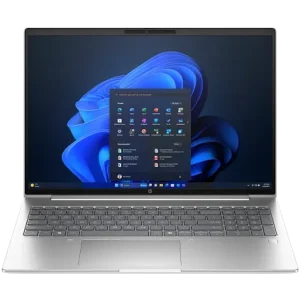
HP ProBook 460 G11 A38F9ET Laptop –Core Ultra 7 155U, 8GB RAM, 512GB SSD, 16-inch.
Computing Products
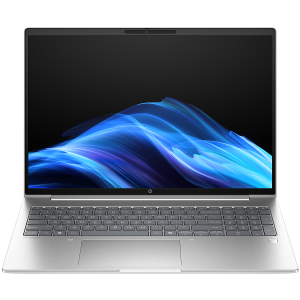
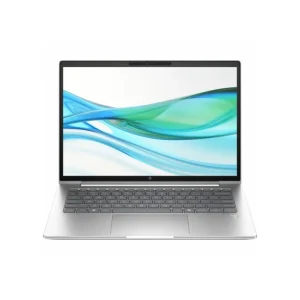
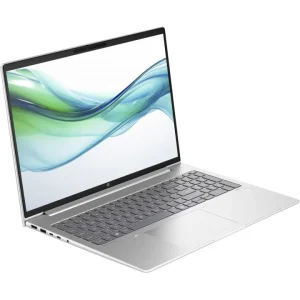
HP ProBook CT1G8ET 4 G1i 16 Notebook AI PC , Core Ultra 5 225U, 16GB RAM, 512GB SSD
Computing Products
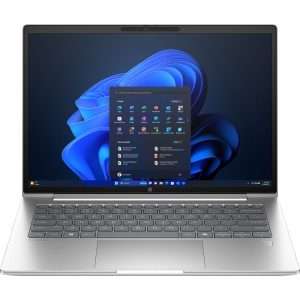
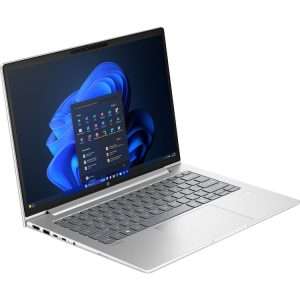
HP ProBook CT9N7ET 460 G11 AI PC – Core Ultra 5 125U, 16GB RAM, 512GB SSD, 16-inch
Computing Products
Computing Products
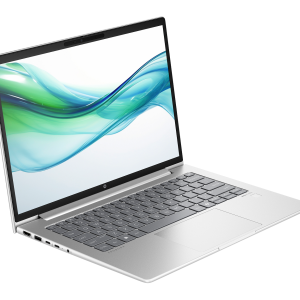
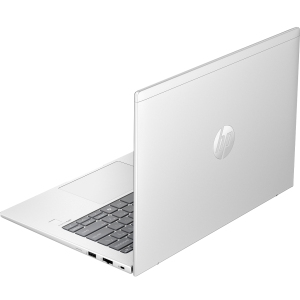
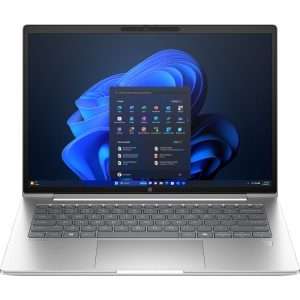
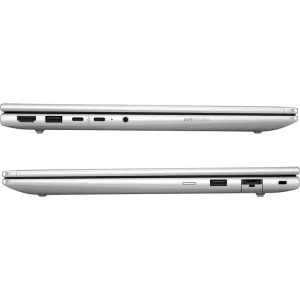
HP CT1E9AT ProBook 4 G1iR 14, Intel Core 5 120U, 8GB DDR5 RAM, 512GB SSD, FreeDOS, 14″ WUXGA IPS
Computing Products
Computing Products
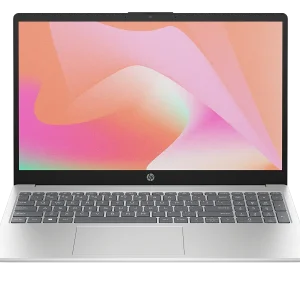
HP 15-fd0662nia D46N7EA, Intel Core 5 120U, 8GB DDR5 RAM, 512GB SSD, FreeDOS, 15.6″ FHD
Computing Products
Computing Products
Computing Products
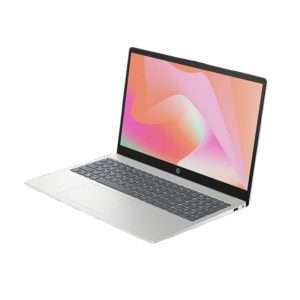
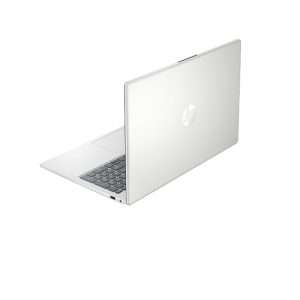
Brand New HP Laptops


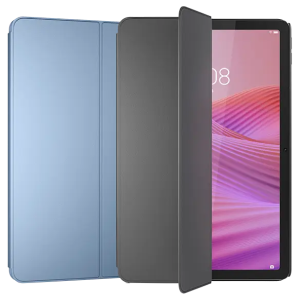
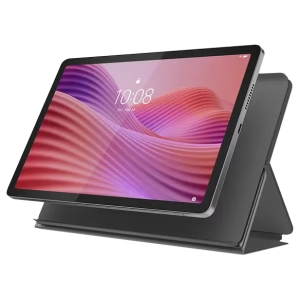
Lenovo Tablets
Computing Products
Computing Products
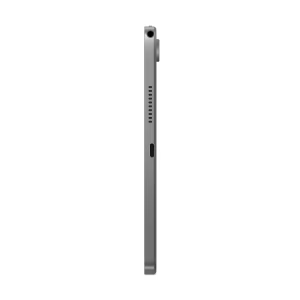
Lenovo Tablets
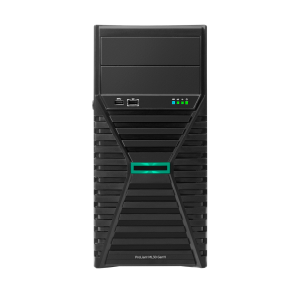
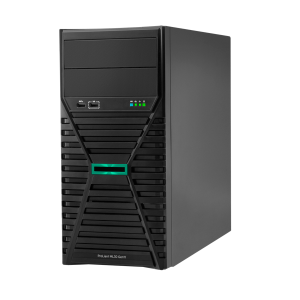
Servers and Accessories
HPE ProLiant ML30 Gen11 Server Tower Intel Xeon E-2414 32GB DDR5 1TB SATA DOS
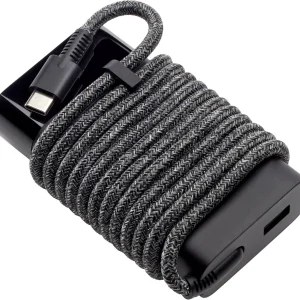
laptop adapters
Dell Accessories
Label tape

Samsung monitors
Also Check
Latest Laptop Product, Best Prices
RAM? GHz? Understanding PC Specs for Beginners
Yeastar D30 Expansion DSP Module