
Blog
Ubiquiti Routers: Why Your Router Matters When You Have Multiple Wi-Fi Access Points
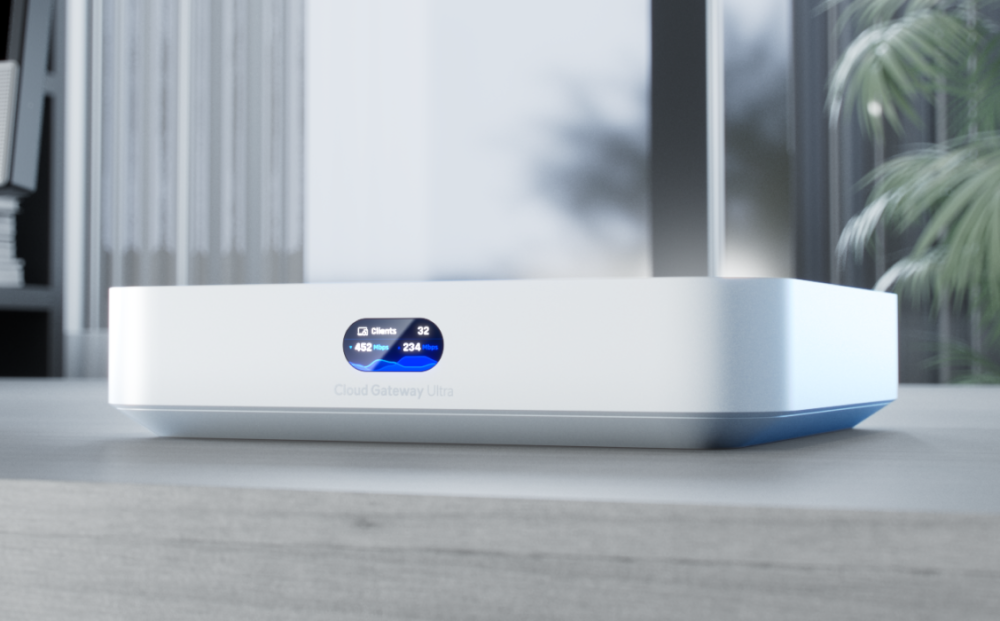
Ubiquiti routers anchor networks built around several access points, directing traffic between the internet, wired devices and Wi-Fi. Businesses that pick the right gateway avoid slow links, dropped connections and wasted spending on the associated hardware.
Key Takeaways
- Ubiquiti routers manage traffic that access points alone cannot handle.
- A weak gateway limits every device on the network.
- Extra access points will not fix routing bottlenecks.
- Matching the router to the access points protects your budget.
- Complete network planning beats buying Wi-Fi gear in isolation.
Many businesses respond to poor Wi-Fi by adding more access points. Coverage improves, yet the complaints continue. Slow file transfers. Video calls that freeze at the worst moment. The real fault sits at the gateway. Ubiquiti routers address this weak point by managing traffic before it ever reaches the wireless side of the network.
Every packet moving between your office and the internet passes through one device first. Ubiquiti routers give that device the processing power to route and prioritise traffic without slowing anything down. Access points then do their job properly, because the data arriving at them is already flowing at full speed.
Where Network Trouble Really Begins
- The Gateway Carries Every Connection: Each laptop, camera and phone on your network shares one path to the internet. The router decides which traffic moves first, which waits, and which gets blocked. When that device runs out of processing headroom, every user feels it at once, no matter how many access points hang on the ceiling.
- Wired and Wireless Traffic Meet Here: Servers, printers and CCTV recorders sit on the wired side. Staff devices connect over Wi-Fi. The gateway moves data between both worlds and out to the internet. A slow router turns that meeting point into a queue, and the queue grows a little longer every time the business connects another new device.
What a Weak Gateway Quietly Costs You
- Wasted Capital on Good Hardware: Businesses spend serious money on quality access points, then feed them through a router built for a small flat. The expensive Wi-Fi gear never performs at its rated speed. That gap between what was paid for and what staff actually get is money quietly lost on every single working day.
- Warning Signs Worth Taking Seriously: A struggling gateway rarely fails all at once. It degrades slowly, and staff learn to live with faults that steal hours from every week. Those small daily losses add up to missed deadlines and frustrated clients. Certain warning signs deserve close attention before the real damage spreads across the whole business:
- Speed tests look fine near the router but drop sharply during busy hours.
- Video calls stutter even on strong signals.
- Large file transfers between departments crawl along.
- The internet feels slower every quarter despite the same connection from the provider.
One Network, Not a Box of Parts
- Plan the Whole System Before Buying: Purchasing Wi-Fi equipment in isolation is how mismatched networks happen. A gateway rated for twenty devices cannot serve eighty. Sizing the router, switches and access points together, against real user numbers, prevents the expensive and avoidable mistake of buying hardware that fights itself instead of working as one system.
- A Matched Range Solves the Problem: Ubiquiti routers pair naturally with the access points and switches in the same product family, all managed from one controller. Almiria stocks the wider Ubiquiti networking range in Nairobi, so businesses can build a matched system rather than piecing together brands that were never actually designed to cooperate with each other.
Give Your Access Points the Gateway They Deserve
Strong Wi-Fi starts behind the scenes, at the device most buyers overlook. Review the current gateway before adding another access point, and compare its capacity against the number of users it now serves. Speak to a networking supplier about a matched setup, and request a quotation that covers the complete system.