Category Archives: Networks

7 Common Connectivity Problems a TP-Link Extender Can Solve [Infographic]

Mikrotik RB941-2nD-TC hAP Lite 2.4GHz WiFi Router

Struggling with weak or unreliable WiFi can be frustrating, especially when multiple devices are competing for a strong and stable signal. A tp link wifi extender is designed to bridge gaps in your home or office network, making internet access smoother and more consistent. By amplifying your router’s existing signal, extenders eliminate dead zones and bring […]
Ubiquiti UAP-AC-HD UniFi Access Point: High-Density WiFi Solution for Enterprises

Ubiquiti UAP-AC-HD UniFi Access Point: High-Density WiFi Solution for Enterprises

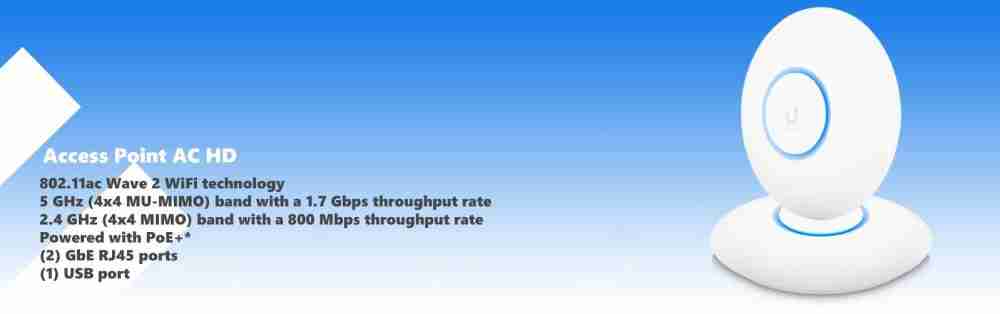
Ubiquiti has a long-standing reputation for creating high-performance networking devices, and the UAP-AC-HD UniFi Access Point is no exception. Specifically designed to meet the rigorous demands of high-density environments, this access point delivers superior performance while offering a comprehensive suite of advanced features. The UAP-AC-HD provides two Gigabit Ethernet (GbE) RJ45 ports, ensuring optimum wired […]

Siemon Category 6 UTP Network Cable

Siemon offers a comprehensive suite of end-to-end cabling systems designed to meet or exceed connecting hardware and channel performance specifications set forth for category 6/class E by TIA and ISO/IEC. Cat 6 cable is ideal for end-users who require backward compatible structured cabling systems that support 1000BASE-T during application upgrades but also need the performance headroom […]

How to Configure my Tplink Range Extender

How to Configure my Tplink Range Extender

This article is specifically for range extenders that do not have a DHCP server. To learn how to set up models TL-WA850RE Before configuration, make sure you have the necessary root router information: Information of Root Router: ● LAN IP: 192.168.1.254 ● SSID: 2WIRE_TEST ● Encryption Type: WPA2-PSK with AES ● Passphrase: testtplink Preparation ●Since the DHCP function on the Range Extender is […]

How do I log into the web-based Utility (Management Page) of TP-Link wireless router?

How do I log into the web-based Utility (Management Page) of TP-Link wireless router?

The web-based management page of TP-Link routers is a built-in internal web server that does not require internet access.  It does however require your device to be connected to the TP-Link router.  This connection can be wired or wireless, so you can log into the management page from the desktop computer, phone, tablet, iPad, etc.Note: Low version of your web […]

How to find the hardware version on a TP-Link device?

hardware version on a TP-Link device

Some TP-Link products may have more than one hardware version.  For example, a name ending with V1, V2, etc. Choose methods below to find the hardware version of your TP-Link products.  Using the label on the back of the device (for most of products). Using the engraved characters on the device (for products like USB […]

Frequent asked questions about the TP-Link routers’ speed?

Frequent asked questions about the TP-Link routers' speed?

Q: What does speed of Signal Rate  mean? A: It means the maximum wireless associated/link speed the Tplink router can provide. It is the internal WLAN connection speed between the computer and the router, not the internet speed. Q: How do I know my actual internet speed? A: There are various speed-test tools online .You can try […]