


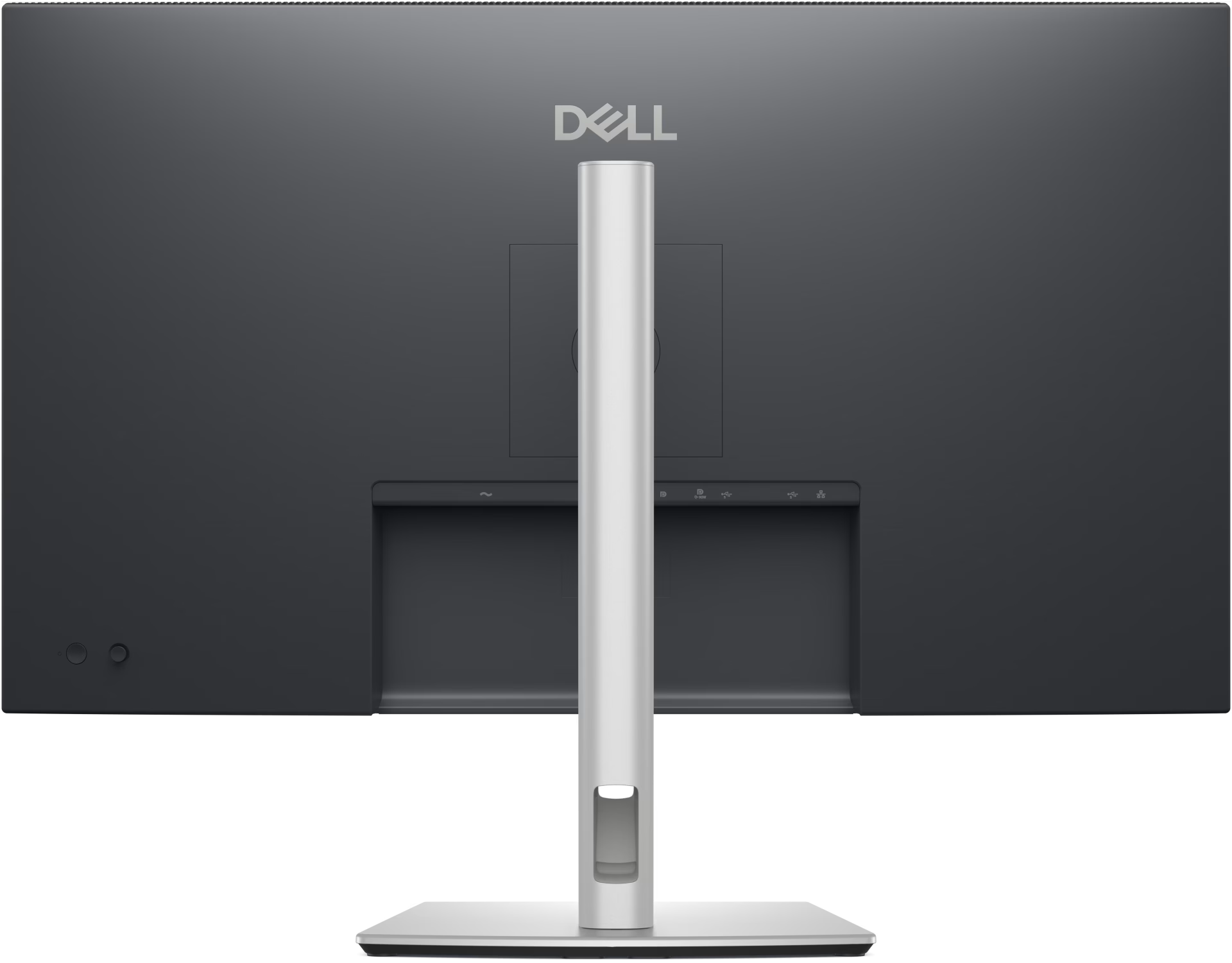


Dell Pro 32 Plus 4K USB-C Hub Monitor P3225QE
The Dell P3225QE 4K USB-C Hub Monitor combines a 31.5-inch IPS display at up to 100 Hz with up to 90 W of laptop charging. Connect through HDMI 2.1, DisplayPort 1.4 or compatible USB-C. Gigabit Ethernet, three downstream USB-A ports and a four-way adjustable stand support shared and permanent office desks.
Genuine product Secure checkout Warranty and order support Discounted Prices
Dell Pro 32 Plus 4K USB-C Hub Monitor P3225QE
The Dell P3225QE 4K USB-C Hub Monitor gives analysts, developers and office teams a 31.5-inch screen for work that spans several windows. Its 4K Ultra High Definition (UHD) panel lets you review a detailed report beside the spreadsheet it came from. Meanwhile, a compatible laptop can connect through one cable for video, data and up to 90 W of charging. The hub also connects wired network access and desk accessories.
Product Overview
The In-Plane Switching (IPS) panel displays 3840 × 2160 at up to 100 Hz. This refresh rate helps text and rows move smoothly as you scroll. In addition, the panel covers 99% sRGB for reviewing web graphics and presentations.
The Dark Gray monitor has a stand that adjusts in four ways. For instance, raise and tilt it to line up with your seated view. Then swivel the screen towards a colleague or pivot it into portrait mode for long documents.
Key Features
- Laptop connection. The Dell P3225QE 4K USB-C Hub Monitor accepts video through its upstream Universal Serial Bus Type-C (USB-C) port. With a compatible laptop, that cable also handles USB data and charging.
- Wired network access. The built-in Gigabit Ethernet port lets the connected laptop use the desk’s wired network through the hub. As a result, the Ethernet cable can stay plugged into the monitor when the laptop moves.
- Ports for desk accessories. Three downstream USB-A ports let you keep a keyboard, mouse and another accessory connected. In addition, the downstream USB-C port supplies up to 15 W to compatible devices.
- Two dedicated video inputs. HDMI and DisplayPort both support 4K at up to 100 Hz. For example, you can leave a desktop connected through DisplayPort while using USB-C for a compatible laptop.
Technical Specifications
- Display 31.5-inch IPS panel, 3840 × 2160 at up to 100 Hz
- Picture 350 cd/m² brightness, 1,500:1 native contrast ratio and 99% sRGB coverage
- HDMI 1 × HDMI 2.1 input
- DisplayPort 1 × DisplayPort 1.4 input
- USB-C upstream 1 × 5 Gbps port with DisplayPort 1.4 Alternate Mode and up to 90 W Power Delivery
- USB-C downstream 1 × 5 Gbps port with up to 15 W Power Delivery
- USB-A downstream 3 × 5 Gbps ports
- Ethernet 1 × RJ45 Gigabit Ethernet port (1GbE)
- Stand and mount 150 mm height adjustment, −5° to +21° tilt, ±30° swivel, ±90° pivot and 100 × 100 mm VESA mounting
Common Applications
This 4K office display suits finance teams comparing figures across worksheets and developers reading code alongside logs. At shared desks, staff can leave the keyboard, mouse and network cable in place between laptop connections.
Why Choose This Product?
The Dell P3225QE 4K USB-C Hub Monitor works well at desks where people alternate between a desktop and a laptop. The separate video inputs let both systems stay connected. Plus, if you later fit a compatible monitor arm, the standard mounting pattern lets you keep the same screen.
Frequently Asked Questions
What does my laptop need to display video on the Dell P3225QE 4K USB-C Hub Monitor through USB-C?
Your laptop’s USB-C port must support DisplayPort Alternate Mode for video. To charge through the same cable, the laptop must also accept USB Power Delivery.
How far can I swivel the screen without moving the stand base?
The stand swivels up to 30° left or right. It also pivots 90° in either direction for portrait viewing.
Which display cables come with the P3225QE?
Dell includes a 1.8 m DisplayPort 1.4 cable and a 1 m USB-C to USB-C cable rated for 100 W.
Also Check:
Related products


DELL Monitors


DELL Monitors