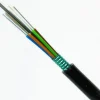
FIBRE CABLE 8 CORE OUTDOOR SINGLEMODE OS2 per Meter
KSh250.00 Excl. Tax
FIBRE CABLE 8 CORE OUTDOOR SINGLEMODE OS2 per Meter
Genuine product Secure checkout Warranty and order support Discounted Prices
FIBRE CABLE 8 CORE OUTDOOR SINGLEMODE OS2 per Meter
The FIBRE CABLE 8 CORE OUTDOOR SINGLEMODE OS2 per Meter delivers reliable fiber connectivity for long-distance outdoor networks. It includes eight single-mode fiber cores that support fast data transmission with low signal loss. Therefore, it is a strong choice for telecommunications, enterprise networks, campuses, and outdoor infrastructure. In addition, you can order the exact cable length your project requires.
Core Count
The cable includes eight separate fiber cores. As a result, each core carries its own optical signal. Moreover, the extra cores support multiple network connections at the same time.
Single-Mode Fiber
The cable uses single-mode optical fiber for long-distance communication. Therefore, it delivers stable performance over extended distances. In addition, it keeps signal loss low and supports high-bandwidth applications.
OS2 Performance
The OS2 fiber supports long-distance data transmission. Furthermore, it works well in telecommunications, high-speed data networks, and internet backbone infrastructure. The 9-micron core also helps maintain reliable signal quality over long fiber links.
Outdoor Design
The cable uses a strong outer jacket that resists UV rays, moisture, and changing temperatures. As a result, it performs well in demanding outdoor environments. Moreover, it supports installation in campuses, industrial sites, and outdoor communication networks.
Flexible Cable Length
The cable is available per meter. Therefore, you can buy only the length you need. Consequently, you reduce waste and keep installation costs under control.
Applications
The FIBRE CABLE 8 CORE OUTDOOR SINGLEMODE OS2 per Meter supports many outdoor networking projects. For example, you can use it for:
- Building-to-building fiber links
- Telecommunications networks
- Campus network connections
- Internet backbone infrastructure
- Outdoor network equipment
- Long-distance enterprise networks
Network Compatibility
Use compatible OS2 single-mode transceivers, connectors, and networking equipment with this cable. Doing so helps maintain reliable performance. In addition, matching all network components improves signal quality and network stability.
Installation and Maintenance
Install the cable according to industry standards and site requirements. For example, you can install it in underground ducts, aerial routes, or protective conduits where appropriate. Furthermore, inspect the cable regularly to maintain reliable performance. If needed, consult a qualified network installer for the best results.
Additional Information
Choose single-mode OS2 fiber when your project requires long-distance communication with low signal loss. Finally, selecting the correct cable and installing it properly helps improve network reliability, simplify maintenance, and support long-term performance.
Also Check:
Related products
Outdoor Fiber Cable
Outdoor Fiber Cable